
Safe updates
Understanding driver versions and dates without being misled
What the Driver Version and Driver Date fields really mean in Windows 11, why an old date is not proof of an old driver, and how Windows chooses between packages.

What this section covers
Open any device in Device Manager and the Driver tab shows a Driver Provider, Driver Date and Driver Version. They look like a simple way to tell old from new. They are not. This guide explains what each field means, why a maker’s download page can show a different number for the same files, why dates can look decades old, and how Windows actually chooses between matching drivers. Windows 11 comes first; Mac differences are in their own section.
Where to read the numbers
- Right-click Start and choose Device Manager.
- Expand a category, right-click the device and choose Properties.
- Open the Driver tab and note the provider, date and version. Driver Details lists the individual files.
Our guide to checking installed drivers and the Device Manager tour cover these screens in more depth.
Three numbers that look alike
Driver Version is set by the provider inside the driver’s INF file. It is meaningful within that provider’s own numbering, and often within one product branch.
Package or download version is the label on the maker’s page, such as “24.6.1” or “Revision A15”. Makers often number their packages separately from the driver inside, so the page and the Driver tab can disagree while describing exactly the same files.
Driver Date is also set by the provider. It is not the date the file was compiled or the date you installed it.
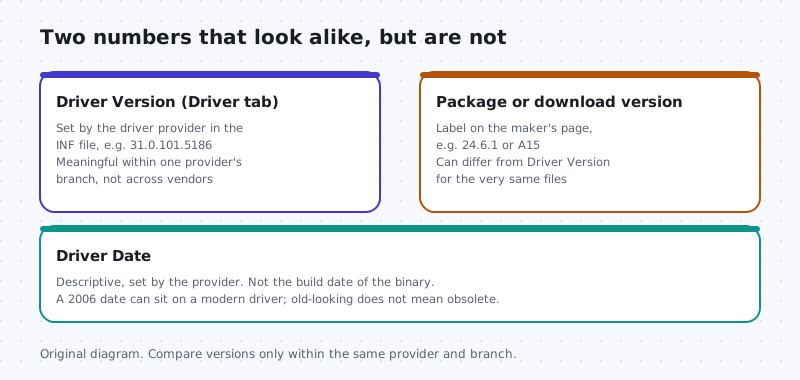
Versions are not comparable across vendors or branches
A version number is a provider’s internal ladder. You cannot compare rungs on two different ladders. Specifically:
- A graphics driver at version 31 is not “newer” than an audio driver at version 6.
- A chip maker’s generic driver and a laptop maker’s customised build of it may use different numbering entirely.
- Some providers maintain more than one branch at once, for example a long-term branch and a feature branch. A higher number on one branch is not necessarily a later fix for the other.
Why an old date is not an obsolete driver
Microsoft’s own explanation of driver updates is direct: the driver date is descriptive information set by the provider and can be any date they choose. When Windows Update decides what to install, it relies on targeting information the provider placed inside the driver files.
So when you see a date like June 2006 on a device in Windows 11, it does not mean you are running a binary from 2006. Many built-in and generic drivers deliberately carry an early date. Because Windows only uses dates to break ties, an early date makes sure that a more specific driver from your hardware maker wins whenever one is available.
An old date alone is never a reason to replace a driver. A real symptom, a security advisory or an OS requirement is.
How Windows chooses between matching drivers
Microsoft’s driver selection documentation describes the order. Windows builds a list of every package that matches the device and gives each match a rank, based on how specifically its hardware ID matches and on signing. Then:
- Windows picks the match with the lowest rank value, meaning the best fit.
- Only if two matches have equal rank does it prefer the more recent date.
- Only if rank and date are both equal does it compare version.
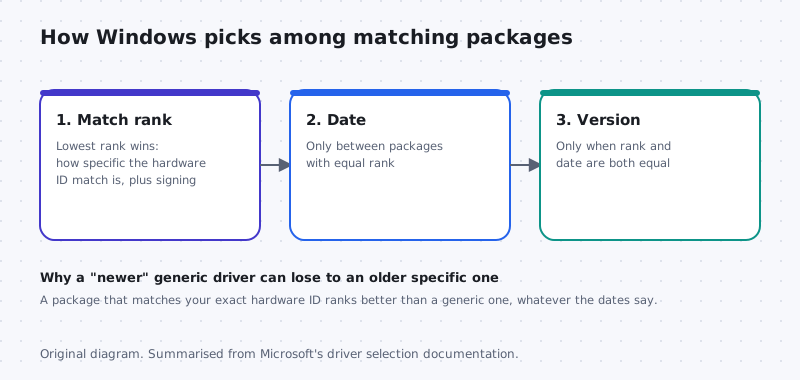
This is why Windows sometimes keeps what looks like an older driver: it matches your hardware better. Forcing a “newer” generic package over it trades fit for a number.
Reading a maker’s download page well
- Confirm the page is for your exact model, Windows 11 and your architecture, x64 or Arm64.
- Read the release notes for fixes that match your problem or name a security issue.
- Compare its driver version with your Driver tab only if the provider is the same. If the page shows only a package version, the release notes or the installed result will tell you more.
On a work or school computer
If a managed PC shows an older-looking driver, that may be deliberate. Your IT team may have tested and pinned it, so ask before changing anything.
macOS note
Macs do not expose a per-device driver date and version the way Windows does. Drivers for built-in hardware are part of macOS, so the macOS version shown in Apple menu > About This Mac is the number that matters, and System Settings > General > Software Update keeps it current. For add-on devices, hold Option, open the Apple menu, choose System Information, and look under Software > Extensions to see third-party extensions and their versions. Compare those only with releases from the same maker.
Keep going
Ready to act on what you found? Start with the five-step safe update method, and read when not to update a driver before changing a device that works. If a tool flagged your drivers as outdated, see why third-party updater tools carry risk.
Version families
Driver branches for different hardware generations
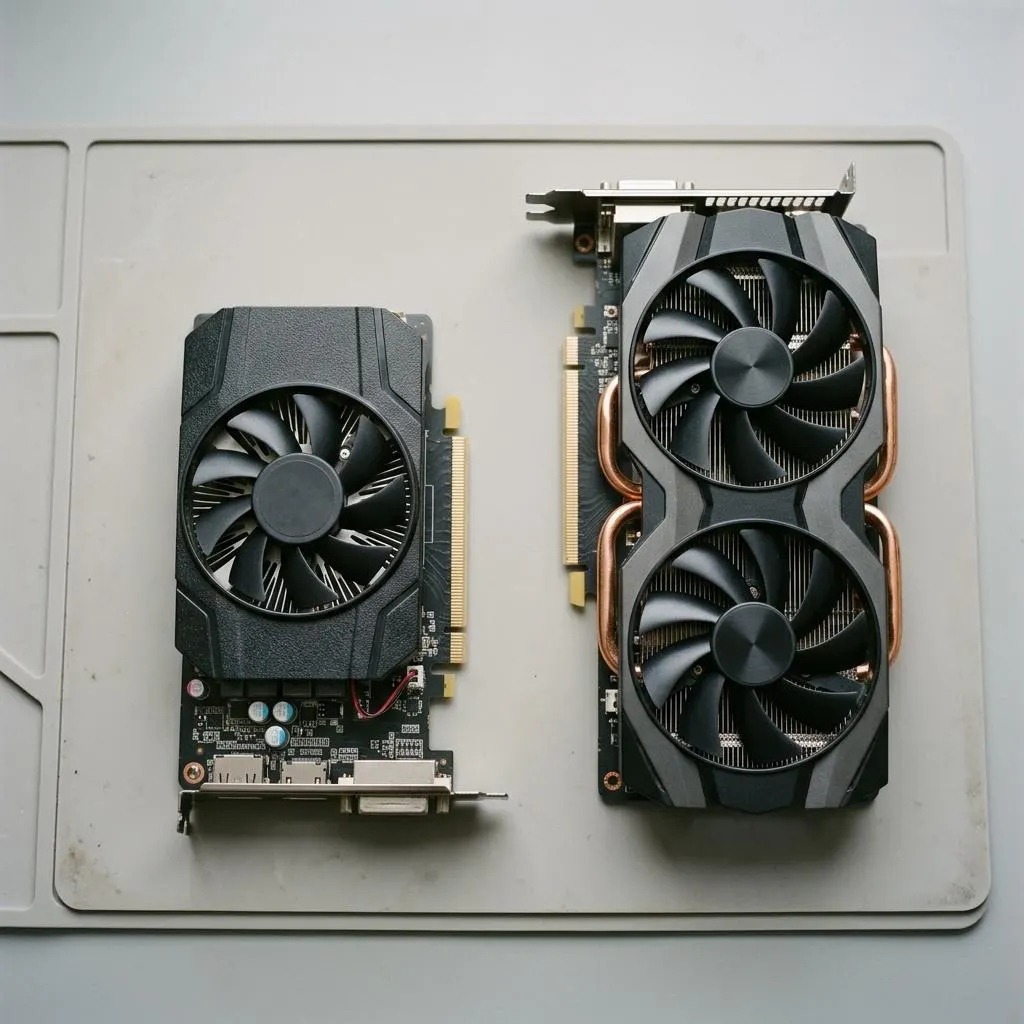
Makers sometimes split drivers into branches: one for current hardware, another for older generations that only receive fixes. A newer version number on the current branch does not mean it supports your older card, and a lower number on a legacy branch may be the correct, latest driver for it.
Read support lists, not just numbers. A download page or release note normally lists which products a package supports. If your exact model is not listed, that package is not for you, even if the version is higher.
- Laptop makers may stay on an older branch for stability with their specific design.
- Moving to a different branch is a bigger change than an update within one branch.
Worked example
Example: comparing two versions side by side
Scenario: Device Manager shows audio driver version 6.0.9400.1 dated 2023, and the laptop maker's page offers 6.0.9600.1 dated 2024. Illustrative numbers, not a real package.
- Confirm both belong to the same provider shown in Driver Provider. Comparing versions from different providers is meaningless.
- Compare the version parts from left to right. Here the third part is higher, so the offered package is newer on the same line.
- Read the release notes for fixes relevant to you. If none, staying is reasonable.
- If you install, record the old version so you can identify it if you need to roll back.
The date shown by Windows can reflect when the package was assembled rather than when the code was last changed, which is why version numbers on the same line are usually more meaningful than dates.
Not the same thing
Firmware versions versus driver versions
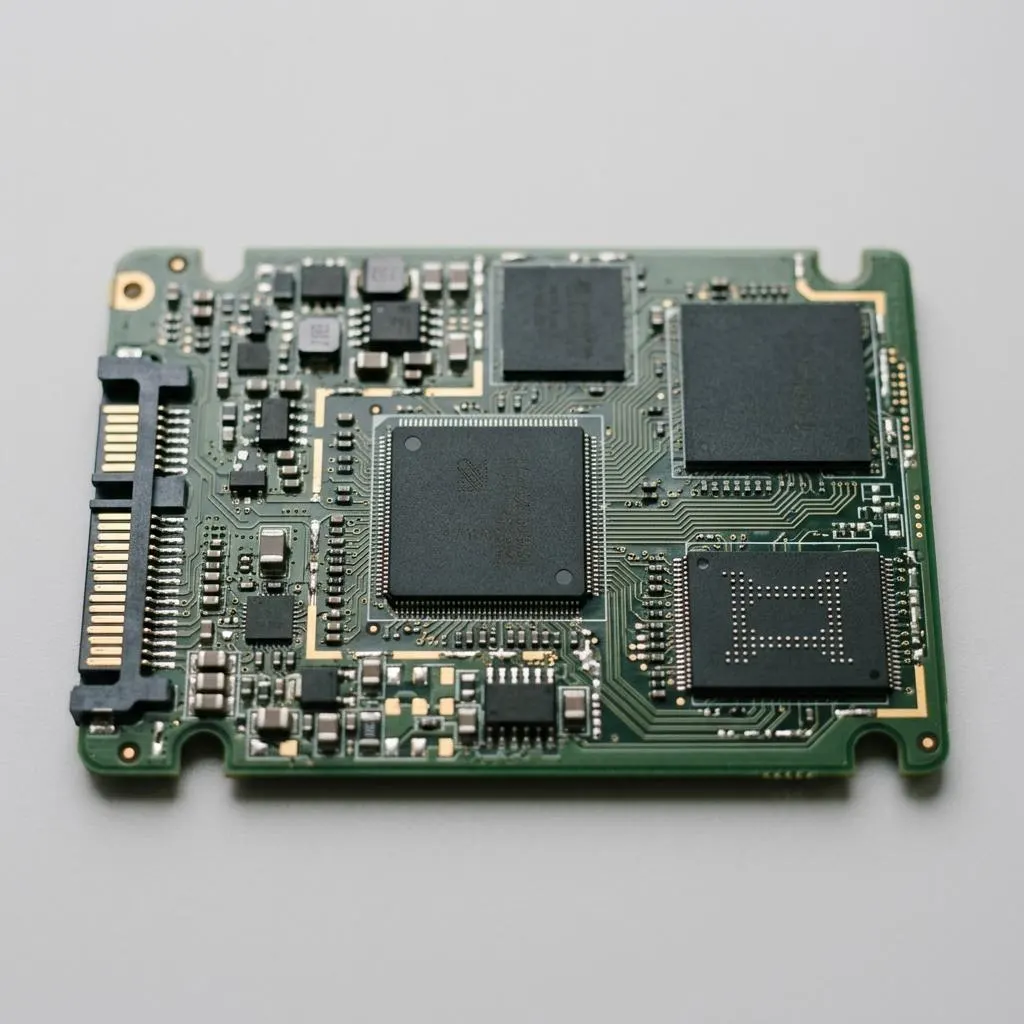
Some devices have both a driver on the computer and firmware inside the device. An SSD, for example, has controller firmware stored on the drive, while Windows uses a storage driver to talk to it. Their version numbers are unrelated, and updating one does not update the other.
Firmware updates are less common, have their own instructions from the device maker, and carry more risk if interrupted. This guide does not recommend firmware updates for routine maintenance; consider one only when the maker documents a fix for a problem you actually have.
When you read version details, check which you are looking at. Device Manager shows the driver version. Firmware versions usually appear in the maker's utility or in device details provided by the maker.
FAQ
Questions people actually ask
Why does my driver say it is from 2006?
Microsoft explains that the driver date is descriptive information set by the driver provider, and it can be any date they choose. Some inbox and generic drivers deliberately carry an old date so that a more specific driver from a hardware maker wins any tie. It does not mean Windows installed a binary written in 2006.
Can I compare version numbers from two different companies?
No. Each provider numbers its own drivers its own way. A graphics driver at version 31 is not newer than an audio driver at version 6, and a chip maker's version is not comparable with a laptop maker's customised version of the same driver. Compare only within one provider and one branch.
Why did Windows Update install an older-looking driver?
Windows Update uses targeting information the provider sets inside the driver files to decide what fits your hardware. A package with a better hardware match ranks higher than one with a later date. If the device works, the choice was probably deliberate.
Where do I see driver versions on a Mac?
Built-in Mac drivers are part of macOS, so the macOS version is what matters. Open the Apple menu and choose About This Mac. For details, hold Option, choose System Information, and look under Software > Extensions for third-party items and their versions.