
Safe updates
Why third-party driver updater tools carry real risk
Generic driver updaters promise one click for every device. Here is what they actually change, where the risks lie, and the maker's route that replaces them.

What this section covers
Search for almost any device problem and you will meet an ad for a program that promises to find every out-of-date driver on your PC and fix them in one click. This guide explains what those generic third-party updaters actually do, why the approach carries risk even when the software itself is honest, and how to recognise the warning signs. It ends with the route that replaces them: Windows Update and your device maker’s own sources. Windows 11 details come first; the Mac gets a separate note.
We are not saying every such tool is malware. Some are not. The risks are about provenance, fit, bundling, privacy and pressure, and those apply even to well-meaning products.
What a generic updater does
A typical tool reads the hardware IDs of your devices, compares the installed driver with entries in its own catalogue, and lists anything for which it holds something with a later date or higher number. Then it offers to install those packages, often after a purchase.
That sounds efficient. The trouble starts with the word “catalogue”.
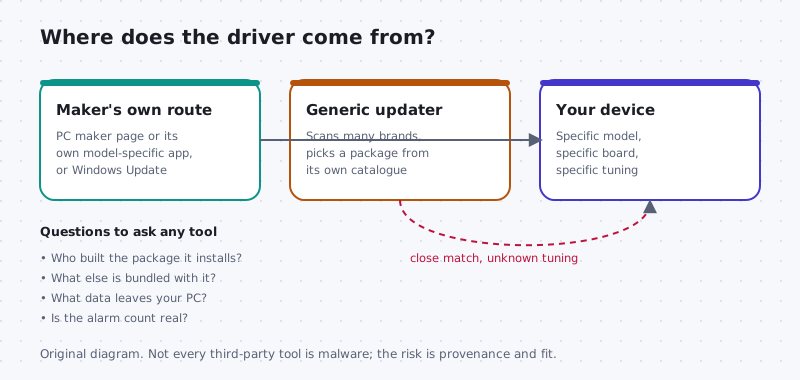
Risk 1: Provenance you cannot check
When you get a driver from your computer maker’s page for your model, or from Windows Update, you know who chose it. With a generic tool, the package may have been collected from somewhere else, repackaged, or wrapped in the tool’s own installer. You often cannot see which company built the files or where they were downloaded from.
Risk 2: A close match is not your match
Laptop makers commonly ship customised versions of graphics, audio and power drivers tuned for their own boards. A generic catalogue may match only the chip, not your machine. The result can be lost special keys, broken speakers, worse battery life or a display that will not sleep. Microsoft’s driver selection documentation explains that Windows ranks how well a package matches before it looks at dates. A tool that forces a “newer” generic package can override that careful choice.
Risk 3: Bundled software and privacy
Free versions of these tools sometimes install toolbars, browser changes, “optimisers” or other programs, with pre-ticked boxes that are easy to miss. Many also collect a hardware inventory and usage data. Read the privacy policy before running any scanner: what leaves your computer, and who receives it?
Risk 4: Scare counts and subscriptions
A result screen saying dozens of drivers are “outdated” is designed to feel urgent. That number usually counts every device for which the catalogue holds a later entry, including devices that work perfectly. The fix is then often behind a yearly subscription that renews automatically.
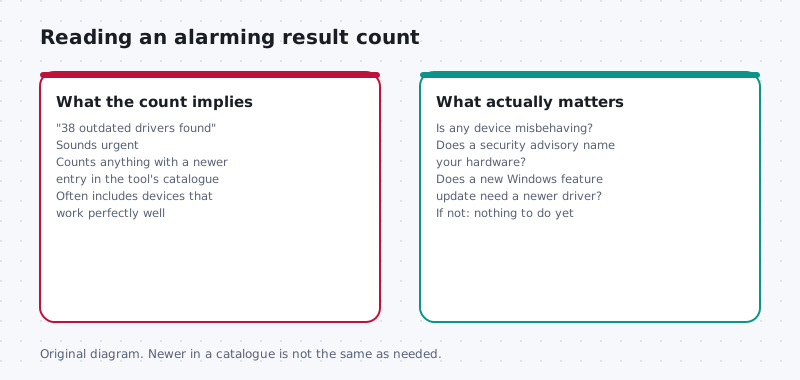
How to judge a tool or page in front of you
- Ask who makes it. Is it your computer maker, the maker of the add-in part, or an unrelated company?
- Check how you arrived. Did you type the address, or click a search ad or pop-up?
- Look for model specificity. Does it ask for your exact model, or claim to cover every brand?
- Read the installer prompt. When Windows asks for permission, the verified publisher should match the company you expected. That helps, but a valid signature only says who signed the file, not that it suits your PC.
- Watch for pressure: countdowns, flashing warnings, or a “fix all” button.
- Check the uninstall path. Legitimate software appears in Settings > Apps > Installed apps and removes cleanly.
What to use instead on Windows 11
Windows Update already delivers drivers targeted at your hardware by the people who made it, alongside security fixes. Open Settings > Windows Update > Advanced options > Optional updates to see driver updates Windows did not install automatically; install one only when you have a reason. Our Windows Update driver guide covers this in detail.
For anything else, go to your computer maker’s page for your model, or the add-in part maker’s page, and follow the five-step safe update method. Some computer makers offer their own model-specific update app. That is a different thing from a generic catalogue, because it only serves the maker’s own tested packages, but still install it from the maker’s site and approve changes one at a time.
On a work or school computer
Do not install any updater tool on a managed device. Organisations usually control drivers centrally; tell your IT team what you noticed instead.
macOS note
Macs do not need a driver updater. Built-in hardware drivers come inside macOS and update through System Settings > General > Software Update. Printers, scanners and audio interfaces may have software from their own maker; get it from that maker’s site and check that it lists your macOS version and processor type. Be wary of any Mac “cleaner” or “updater” that asks you to approve broad permissions in Privacy & Security without a clear reason.
Keep going
Read what driver versions and dates actually mean to see why a tool’s “newer” label can mislead, and when not to update a driver for the cases where leaving it alone is the careful choice.
Old habits
Bundled discs and old download folders
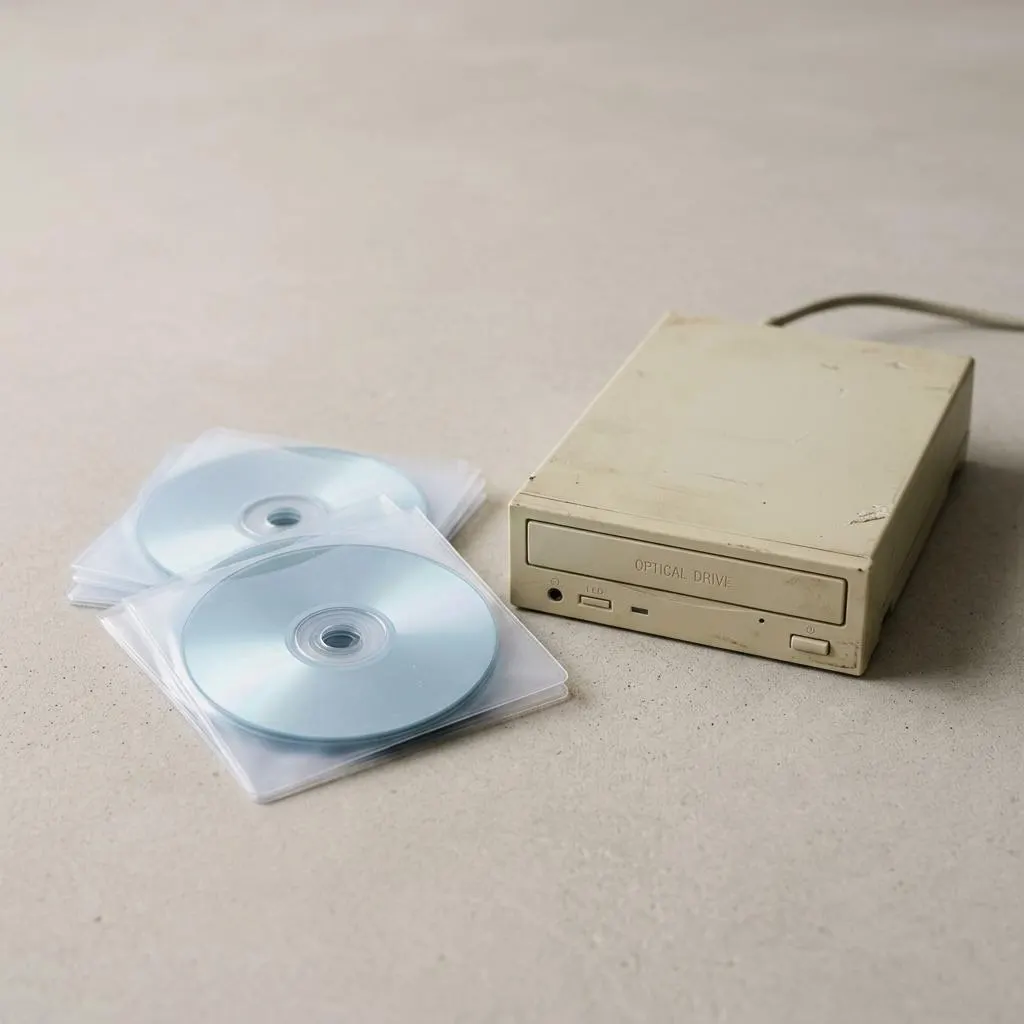
Third-party updaters are not the only questionable source. Discs that came with old hardware and folders of downloads from years ago are just as hard to verify. They may contain drivers for different hardware revisions or older operating systems, and you cannot easily tell which.
For a current Windows 11 computer, Windows Update and the maker's support page normally have newer and better matched drivers than an old disc. Keep old discs only as a last resort for very old hardware, and even then prefer the maker's archive page if it still exists.
- Unlabelled drivers from unknown sources: do not install.
- Drivers emailed by someone claiming to be support: do not install; contact the maker through its website instead.
Worked example
Example: a pop-up says 14 drivers are out of date
Scenario: while browsing, a pop-up claims your computer has outdated drivers and offers a free scan. What to do:
- Close the browser tab. A website cannot scan your installed drivers this way; the count is not evidence.
- Do not download or run anything it offers, and do not call any number shown.
- If you want to check, open Device Manager and look for warning marks, and check Settings, Windows Update for driver updates.
- If you already installed such a tool, uninstall it through Settings, Apps, Installed apps, and run a scan with the security app you normally use.
If the tool replaced drivers and something now misbehaves, the roll back guide helps you undo changes one device at a time.
Why matching is hard
Matching is about the exact chip and model
An updater matches hardware IDs against its database, but a hardware ID can be shared by many products customized by different computer makers. A laptop maker may tune a driver for its cooling, power or audio design, and a generic match can lose that tuning.
This is why the computer maker's support page, accessed by your exact model or serial number, is a better match for built-in parts. For separate add-in parts, the part maker is the right source.
Windows Update also matches by hardware ID, but drivers distributed there go through Microsoft's driver publishing process and are targeted. That is a different situation from a tool that pulls drivers from sources you cannot see.
FAQ
Questions people actually ask
Is every third-party driver updater malware?
No, and claiming so would be unfair. Some are simply catalogues with a scanner attached. The problem is that even an honest tool installs packages chosen from its own database, which may not be the version your computer maker tested, and many come with bundled offers, data collection or subscriptions.
Is my computer maker's own update app the same thing?
Not quite. A computer maker's own utility only covers that maker's models and pulls packages built for your exact machine. It still deserves care: install it from the maker's site, review what it proposes, and accept one change at a time rather than everything at once.
I already installed an updater tool. What should I do?
Open Settings > Apps > Installed apps, find the tool, and uninstall it. Check the same list for anything else installed on the same day that you do not recognise. If devices still work, leave the drivers alone. If one broke, use Roll Back Driver for that one device.
Do Macs need a driver updater?
No. Drivers for a Mac's built-in hardware arrive with macOS through Software Update. Add-on devices may have software from their own maker. A tool promising to update all Mac drivers has very little to legitimately do.