
Learn
How driver stacks work: from your app to the hardware
Why one request often passes through several drivers, how bus, function and filter drivers divide the work, and what Windows means by a device stack.
What this section covers
Open a device’s driver details in Device Manager and you will often see several files listed, not one. That is not a mistake. Many requests pass through a layered chain of drivers, each doing one part of the job. This explainer covers why drivers are layered, the three roles Windows gives them, the difference between a device stack and the driver stack for a request, and how a request travels down and back up. Layering is common across operating systems, but the names used here are Windows terms, so this guide is tagged for Windows only.
Why not one driver per device?
Think about a USB storage stick. Talking to the USB controller in your computer is one job. Speaking the language of disks is another. Understanding files and folders is a third. If every stick’s maker had to write all three, the same work would be repeated thousands of times, and every version would have its own bugs.
Layering splits that work. The operating system’s maker can write the general layers once, as standard class drivers, and a device that follows the published standard works without its manufacturer writing a driver at all. A maker with special features adds only the layer it needs. That is also why multiple drivers can take part in a single request.
Three roles: bus, function and filter
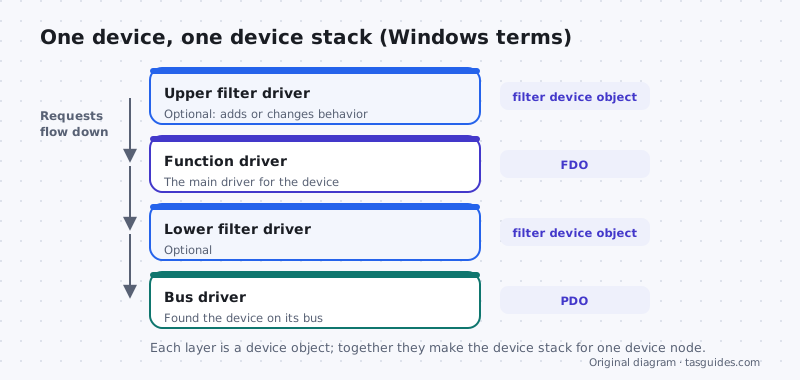
Windows keeps track of devices in a tree of device nodes. Each node has a device stack: an ordered list of drivers attached to that one device, each represented by a device object. Microsoft’s documentation describes three kinds of driver that appear in it.
- Bus driver. It sits at the bottom. A bus driver manages a connection such as USB or PCI Express, notices when something is attached, and creates a physical device object (PDO) for each child device it finds. That is how a new device appears in the tree in the first place.
- Function driver. This is the main driver for the device, the one that knows what it does. It creates the functional device object (FDO). Sometimes the hardware’s manufacturer writes it; often a standard class driver from the operating system’s maker fills the role.
- Filter drivers. These are optional layers above or below the function driver, called upper and lower filters. They can add a feature, adjust behavior or watch requests go by, and then pass them on.
Device stack versus driver stack
These two terms sound alike, and Microsoft’s documentation draws a careful line between them.
A device stack belongs to one device node. It is the fixed set of drivers attached to that single device.
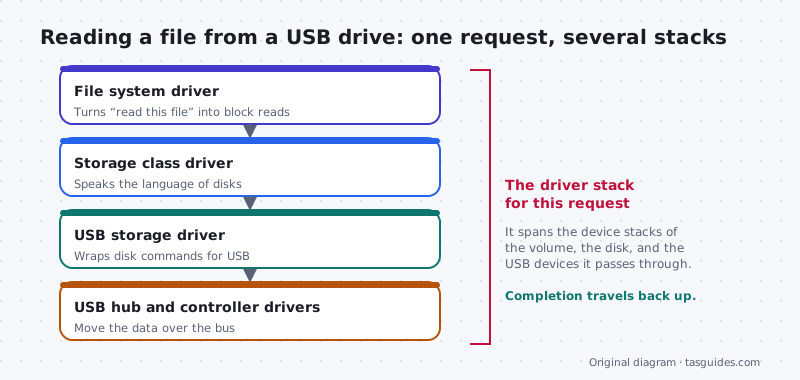
A driver stack for a request is the set of drivers that actually take part in handling one request. It can cross several device stacks. You will also see “driver stack” used more loosely for the layered drivers behind a whole technology, as in “the USB stack.”
Reading a file from a USB drive shows the difference. The request starts with the file system driver, which turns “read this file” into reads of particular blocks. A storage class driver turns those into disk commands. A USB storage driver wraps them for USB, and the USB hub and controller drivers move the data over the bus. Those drivers belong to the device stacks of the volume, the disk and the USB devices underneath, yet together they form one driver stack for this one request.
How a request travels down and back
On Windows, the I/O manager packages most requests as an I/O request packet (IRP) and hands it to the top of the right stack. Each driver in turn can deal with the request itself, change it, pass it to the driver below, or send new requests to another stack. Not every request reaches the hardware: a driver higher up can answer some on its own. When the work is done, the completion travels back up through the same drivers, each of which can look at the result on the way, until the app gets its answer. Some of those drivers may run in user mode and others in kernel mode, so a single round trip can cross that boundary more than once.
Why this matters when something breaks
Layering explains some puzzling symptoms. A filter driver added by unrelated software sits in a device’s path, so a faulty filter can make a healthy device misbehave. A problem in a bus driver can affect every device attached to that bus at once. And because several files work together, deleting one by hand can leave the whole stack broken.
You can see the files in a device’s stack in Device Manager, under the driver tab’s details. If a recent update broke something, the roll back guide shows the safe way back.
Keep exploring
Start with what a device driver is if any of the terms here were new. Then read kernel mode vs user mode drivers to see how drivers in the same stack can run at different privilege levels.
Seeing the layers
A USB hub makes the stack visible
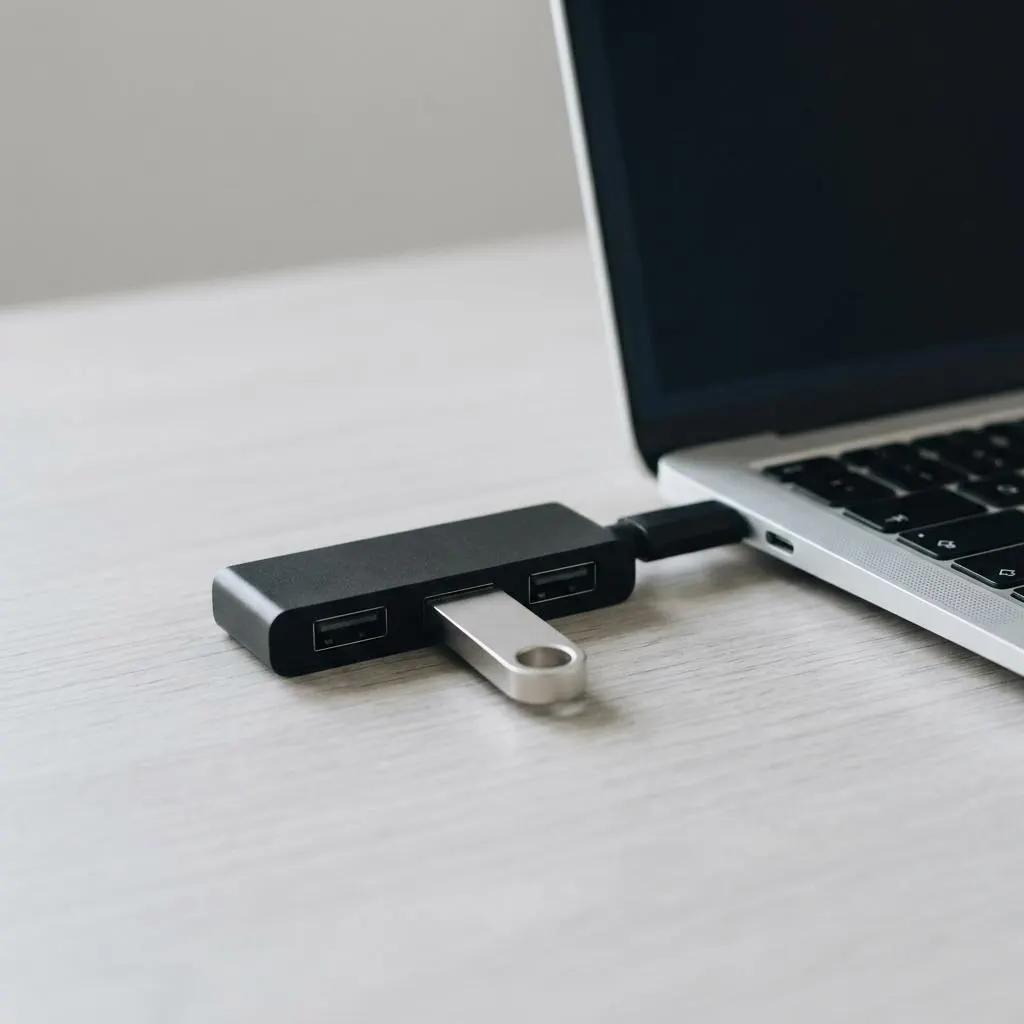
Plug a flash drive into a USB hub, and the hub into a laptop. Physically, there is a chain: the laptop's USB controller, the hub, the drive. The driver stack mirrors this chain, with a driver for the controller, a driver for the hub, and drivers that turn the drive into a storage volume.
Device Manager's View by connection shows this nesting. Expanding the tree from the USB controller down shows the hub and then the drive under it. It is one of the best ways to see the stack in action.
- If the hub fails, everything below it disappears together.
- If only the drive fails, the hub and controller remain visible.
Worked example
Example: tracing a file save to an external drive
Scenario: you save a document to a USB flash drive. A simplified journey down the stack:
- The app asks the operating system to write a file.
- The file system driver works out where on the drive the data goes.
- The storage driver turns that into block-level write requests.
- The USB storage driver wraps those requests for USB transport.
- The hub and controller drivers move the packets to the device, and completion reports travel back up.
This is why ejecting a drive before unplugging matters: writes may still be traveling down the stack or waiting in caches when the app says it has finished.
Under the drive
Storage stacks and why caution matters
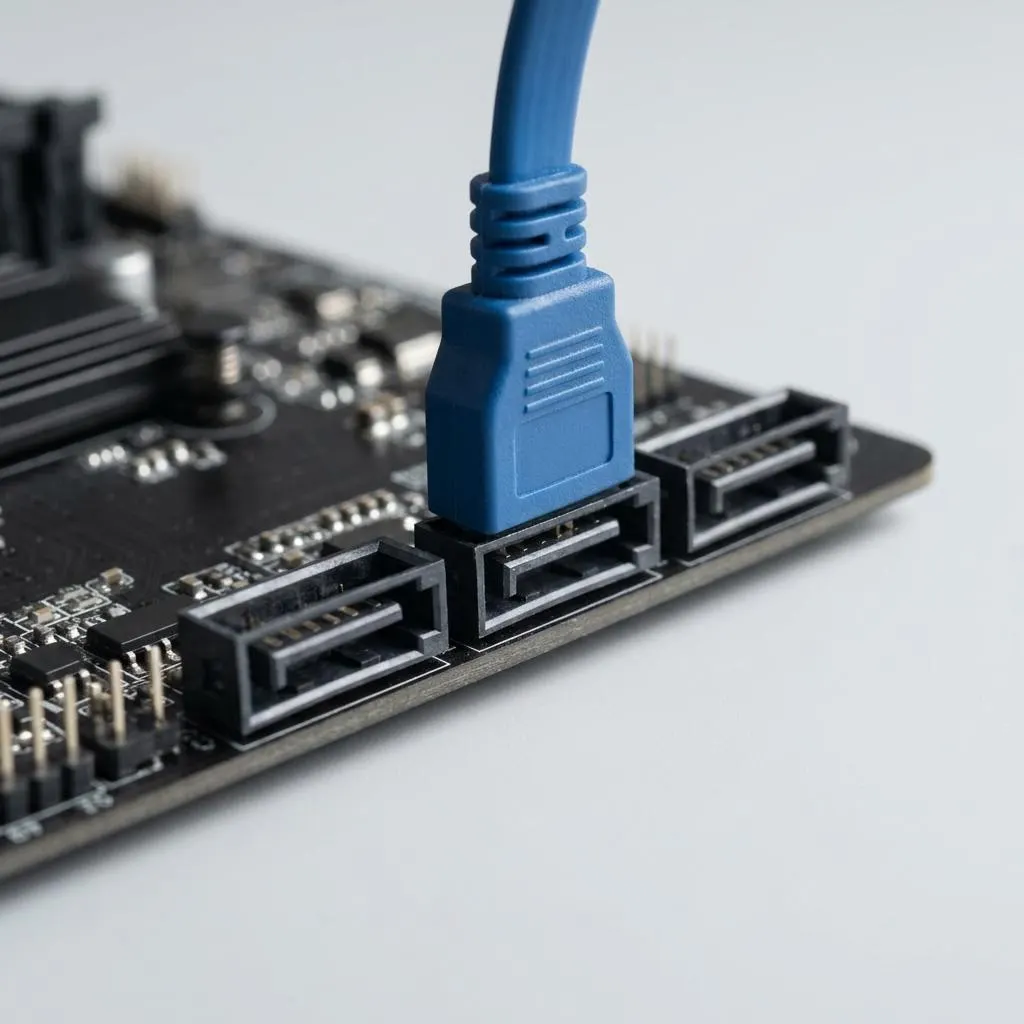
Internal drives connect through storage controllers on the motherboard, such as SATA or NVMe controllers. The controller driver sits low in the stack, and everything above it, including the system drive that Windows starts from, depends on it.
That is why this site never recommends uninstalling or replacing storage controller drivers casually. A mistake here can stop Windows from starting at all. Changes to storage controller drivers are best left to the computer maker's documented instructions.
Understanding stacks helps you judge risk: a change high in the stack, such as a printer driver, affects one device; a change low in the stack can affect everything above it.
FAQ
Questions people actually ask
What is the difference between a device stack and a driver stack?
In Windows terms, a device stack belongs to one device node: the bus driver, function driver and any filter drivers attached to that one device. A driver stack for a request is the set of drivers that actually take part in handling one request, and it can span the device stacks of several devices.
Do I need to install a filter driver?
Almost never on purpose. Filter drivers usually arrive as part of a device maker's package or with software such as security tools. If a problem started after installing a program that adds one, uninstalling that program properly through Settings is the safe first step.
Why can removing one program fix a device problem?
Because the program may have added a filter driver to the device's stack. Every request to that device passes through the filter, so a faulty filter can make a healthy device misbehave. Uninstalling the program the normal way removes its driver too.
Does every device have a bus driver, a function driver and filters?
Every device node has a bus driver at the bottom, and most have a function driver. Filters are optional, and many devices have none. Some function work is done by standard class drivers from the operating system's maker rather than by the hardware's manufacturer.